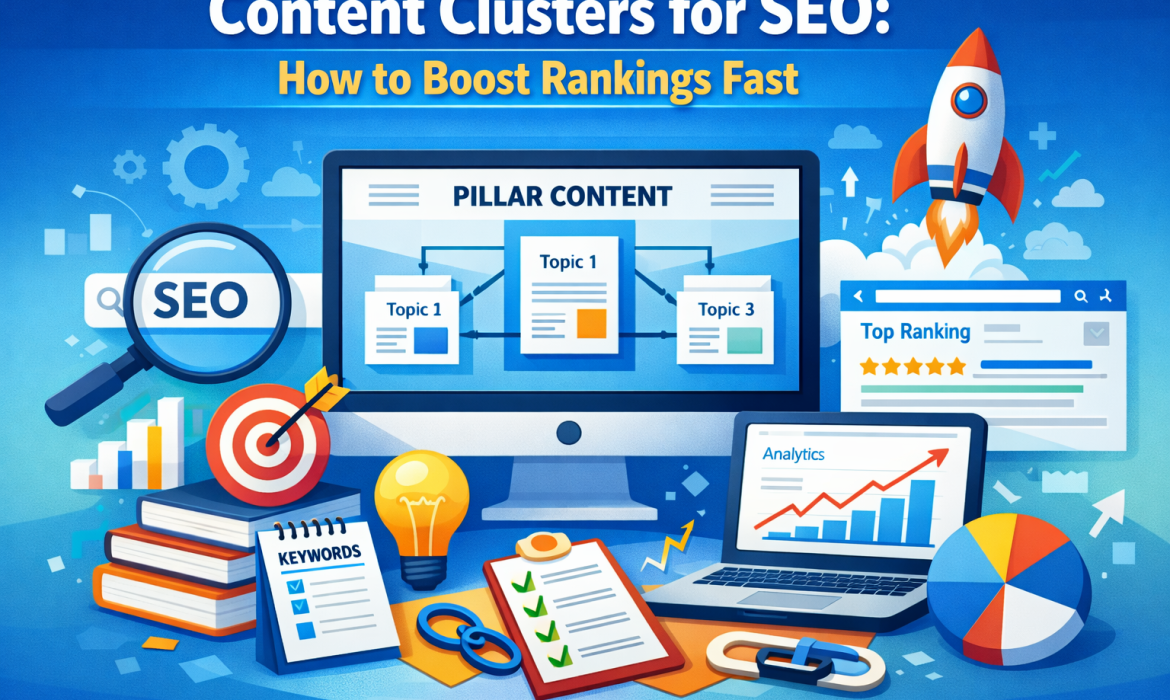
Content Clusters for SEO: How to Boost Rankings Fast
Many websites publish blogs every week. They expect search rankings to grow quickly. However, many blogs fail to attract steady organic traffic. The reason is simple. Many websites publish isolated articles without a clear strategy. Each post targets a different topic. Each post stands alone without connection to other content.
Search engines now evaluate websites differently. Google no longer ranks pages based only on individual keywords. Google now evaluates topic authority across an entire website.
Websites that cover a subject deeply gain stronger visibility. Websites that publish random articles often struggle to rank.
This shift changed modern SEO strategies. Marketers now focus on structured content systems instead of random blogging.
One powerful system is the content cluster model. This approach organizes articles around one main topic. Each article connects to related pages through internal links.
This structure helps search engines understand your expertise. It also helps readers explore information easily.
Businesses that implement content clusters often improve rankings faster. They also build long-term authority in search results.
The Core Idea Behind Content Clusters and Topical Authority
Content clusters organize multiple articles around a central topic. This structure signals strong subject expertise to search engines.
A content cluster contains three essential elements.
The first element is the pillar page.
The second element is supporting cluster articles.
The third element is internal linking.
The pillar page covers the main topic broadly. It introduces the subject and provides an overview.
Cluster articles explore smaller subtopics in greater detail. Each article answers specific questions related to the main subject.
Internal links connect all pages within the cluster. These links create a clear topic network.
Search engines analyze these connections carefully. They use them to understand the relationship between pages.
When multiple pages cover one subject thoroughly, search engines recognize strong topical authority.
This authority increases the chances of ranking for competitive keywords.
Websites that build strong topic clusters often outperform competitors who publish scattered articles.
How Content Clusters Help Search Engines Understand Your Website
Search engines constantly analyze how websites organize information. They look for signals that indicate expertise and structure.
Internal links play an important role in this analysis. They help search engines identify relationships between pages.
Content clusters create a clear hierarchy.
The pillar page acts as the central resource.
Cluster articles support the main topic.
Search engines recognize the pillar page as the primary authority page. They view supporting articles as detailed resources.
This hierarchy makes the website easier to understand.
Search engines also crawl clustered websites more efficiently. Clear linking structures guide search bots through related content.
Readers benefit from this structure as well. They can easily move between connected topics.
When visitors stay longer on a website search engines interpret this behavior as a positive signal.
These signals often contribute to improved search rankings.
Pillar Pages: The Foundation of Every Content Cluster Strategy
Every content cluster begins with a pillar page. The pillar page targets a broad topic that relates to your business or audience.
This page provides a comprehensive overview of the subject. It explains the key concepts and introduces related ideas.
A pillar page usually contains long form content. Many pillar pages exceed two thousand words.
The page should answer major questions about the topic. It should also guide readers toward more detailed articles.
These detailed articles form the supporting cluster content.
Think of the pillar page as a central hub of information. Supporting articles extend the knowledge beyond the main page.
For example consider a pillar page about content marketing.
Supporting cluster articles might include:
- Content marketing strategy
- Blog writing techniques
- Content promotion methods
- Content performance measurement
Each article explores one specific aspect of the topic.
The pillar page links to these articles. Each article also links back to the pillar page.
This linking system strengthens the topic network.
Building Supporting Content That Strengthens the Cluster
Supporting cluster articles form the backbone of the content cluster strategy.
Each article should focus on a single subtopic related to the main pillar page.
Cluster articles should answer specific search questions. They should also provide deeper explanations than the pillar page.
For example consider a pillar page focused on SEO strategy.
Cluster articles could include topics such as:
- Keyword research methods
- On page optimization techniques
- Link building strategies
- Technical SEO fundamentals
Each article targets a specific search intent. This improves the chances of ranking for long tail keywords.
Cluster articles must also connect through internal links.
Every cluster article should link back to the pillar page. This link signals that the pillar page remains the central authority.
Cluster articles may also link to other related articles.
This network creates a strong topic ecosystem. Readers can move between related subjects easily.
This behavior improves engagement and increases page views.
Search engines interpret this interaction as strong content relevance.
Step by Step Process to Create an Effective Content Cluster
Creating a content cluster requires planning and research. The process becomes easier when you follow a clear structure.
Step 1: Identify a Core Topic
Choose a broad topic that relates to your business. The topic should also match the interests of your target audience.
Examples include digital marketing. Content marketing. Search engine optimization.
Step 2: Research Supporting Keywords
Look for search queries related to the core topic. Keyword tools and search suggestions can help identify these ideas.
Group similar keywords into topic categories.
Each group can become a future cluster article.
Step 3: Build a Comprehensive Pillar Page
Create a detailed guide that explains the main topic clearly.
This page should introduce major concepts. It should also link to deeper supporting articles.
Step 4: Develop Supporting Cluster Articles
Write separate articles that explore each subtopic.
Each article should answer one specific question.
Focus on depth and clarity.
Step 5: Connect Everything Through Internal Links
Link the pillar page to every cluster article.
Link cluster articles back to the pillar page.
This linking system creates a structured content network.
Over time this structure strengthens your SEO authority.
Common Content Cluster Mistakes That Hurt SEO Performance
Many websites attempt content clusters but make critical mistakes.
One common mistake involves choosing topics that are too broad. Broad topics make clusters difficult to organize.
Another mistake involves weak internal linking. If cluster pages do not connect properly the structure loses effectiveness.
Some websites publish very short articles. Thin content provides little value to readers.
Search engines prefer detailed and helpful content.
Another mistake involves repeating similar information across articles. Duplicate ideas weaken the authority of each page.
Some websites ignore user search intent. They focus only on keywords instead of answering real questions.
Strong clusters solve real problems for readers.
Avoiding these mistakes helps the cluster strategy succeed.
Example of a Simple Content Cluster Structure
A simple example can help illustrate the concept.
Imagine a website that focuses on digital marketing.
The pillar page might cover the topic of digital marketing strategy.
This page introduces the major concepts of online marketing.
Supporting cluster articles might include topics such as:
- Content marketing strategy
- Email marketing fundamentals
- Social media marketing techniques
- Search engine optimization basics
Each article explores its topic in greater depth.
The pillar page links to every cluster article.
Each cluster article links back to the pillar page.
This structure creates a strong internal network.
Search engines easily recognize the main topic.
Readers can also explore related information without confusion.
Conclusion: Why Content Clusters Are Essential for Modern SEO
Search engine optimization continues to evolve. Random blogging strategies no longer deliver strong results.
Search engines now reward structured content systems. Content clusters provide one of the most effective systems available.
This approach organizes content around clear topics. Pillar pages introduce the subject broadly. Supporting articles explore detailed subtopics.
Internal links connect all pages within the cluster.
This structure helps search engines understand your website expertise. It also improves navigation for readers.
Businesses that adopt content clusters often see stronger rankings. They also experience steady growth in organic traffic.
If you want to improve your SEO results start building topic clusters today. Plan your pillar pages carefully. Create helpful supporting articles.
Connect your content through clear internal links.
Over time your website will build stronger authority and achieve higher search visibility.

UX Meets SEO: How Great Web Design Can Skyrocket Your Search Rankings!
A few years ago, SEO used to be about keywords, backlinks, and cramming as many details as possible in a webpage. However, nowadays, everything is totally different. Google has become smarter, a lot smarter. It does not rank websites according to what is contained on the page only. It is now very keen to know how individuals are experiencing when they are on your site.
Here is the place where UX, or user experience, comes in.
SEO is not only about appearing in search results anymore, but it is also about satisfying the user when they open your site. When your site is slow, disoriented, or disorganized, the visitors will not be able to hang around. And guess what? Google notices.
That is the reason why UX and SEO are no longer distinct. They are the ideal couple, and when combined, your online site can rise to the top quicker than you would think.
What Is User Experience (UX) in Web Design?
To put it simply, UX refers to the ease, smoothness, and pleasure with which one may use your website. Imagine a case of entering a shop. When there is a sloppy aisle, difficult-to-read signs, and staff turning a deaf ear to you, you will just drop out. A website works the same way.
Content navigation is easy with good UX. Bad UX makes users bounce.
Key Elements of UX
- Page hierarchy and navigation: Do menus make sense?
- Visual readability: Can fonts be read? Are the colors comfortable to the eyes?
- Page speed: Can the site be loaded within one or two seconds?
- Interaction design: Can it be an easy tap or a click?
- Mobile experience: Is the site resized to all screen sizes?
- Accessibility: Is it easy to navigate for all users who have not been given special attention?
UX may sound like design-only, but it affects SEO in much larger ways than most individuals may realize.
How UX Directly Impacts SEO
1. User Engagement Signals
Google monitors user behavior on your site. And will they abide and venture or depart in a few seconds? Good UX helps visitors continue reading, clicking, and navigating, generating favorable indicators such as increased dwell time, reduced bounces, and increased pages per visit. These are cues that indicate that your site is worth something to Google.
- Page Speed and Core Web Vitals.
The Core Web Vitals at Google estimate the speed and stability of your site to users:
- LCP (Largest Contentful Paint) – the speed of the main content.
- FID (First Input Delay) – the responsiveness of the site.
- CLS (Cumulative Layout Shift) – the stability of the layout.
When your site loads slowly or vibrates, you lose in your rankings.
3. Mobile-Friendly Design
Google uses mobile-first indexing because most of the searches occur on mobile. In other words, when your mobile site is poor, your SEO is poor.
4. Clear Navigation Helps Google Crawl Better
In case your site structure is easy and sensible:
- Users find things quickly.
- Googlebot knows better what is on your pages.
- Your material is indexed and ranked quickly.
Why Good Web Design Improves Search Rankings
1. Makes life easier and generates leads
Good UX removes confusion. Visitors are well aware of what they need to click, what they need to read further, and how to proceed. This raises conversions, and satisfied users result in improved SEO.
2. Develops trust and credibility
Research indicates that users make their decisions about the credibility of websites in a few seconds. Instant trust is created by clear images, adequate spacing, and well-balanced colors. A reputable site is bound to receive repeat traffic, increased interaction, and referrals.
3. Favors improved content interaction
The best content would not work if the layout is a mess. Good UX is also characterized by brief paragraphs, unchallenging headings, bullet points, and neat spacing. This will assist the users in reading longer and more, further increasing rankings.
4. Enhances site architecture
Surprisingly orderly design enhances user experience. It also strengthens your internal linking process, as it can make Google perceive your content hierarchy.
UX Design Elements That Boost SEO
Fast, Lightweight Pages
To increase the speed of loading, compress images, cache, minify bulky scripts, and lazy load. Google has one of the largest ranking factors for speed.
Mobile-Responsive Layouts
Responsive design makes the text not small, makes it easy to tap buttons, and makes the menus clean and fit any screen. This will be critical to the success of SEO since mobile traffic is the dominant one.
Scannable Content Layouts
The most successful pages can be skimmed. Have descriptive headings, spacing, and paragraphs. This enables users (as well as Google) to know what your page is all about in a very short period of time.
Crystal-Clear Navigation
Menus should feel natural. Breadcrumbs assist the visitor in keeping track of his or her position. The less confusion = the longer the sessions, and the higher the rankings.
Visual Stability
Prevent non-advertising layout shifts, image loading delays, etc.
The stable designs enhance your Core Web Vitals score and maintain calm among the visitors.
Accessibility Enhancements
Basic changes, such as alt text, the appropriate color contrast, and readable fonts, not only assist more users but also enhance SEO activities.
How to Combine SEO Strategy With UX Design
Step 1 – Start With User Intent
Pay attention to the things that users search for and why. Each page is supposed to respond to a definite question.
Step 2 – Design a Clean, Conversion-Friendly Design.
Locate information in the expected place for the users. Minimize complications in CTAs.
Step 3 – Technical SEO Optimization + Core Web Vitals.
This involves optimization of the server, optimized media, and optimized JavaScript. The combination of them enhances UX and SEO.
Step 4 – Have SEO-Friendly Navigation.
Use simple URLs, internal links, and clear menus that allow the user to navigate through the pages.
Step 5 – Test the Experience on a regular basis.
Test heatmaps, A/B test, and study the real behavior of the users. Minor adjustments tend to yield major outcomes.
FAQs
Q: What is the impact of UX on SEO ranking?
A: The UX determines the duration of stay, ease of navigation, and speed with which your pages open. The engagement signals have direct impacts on rankings.
Q: What is the UX factor that matters the most regarding SEO?
A: The strongest ranking factors are currently speed and mobile friendliness.
Q: Will a redesign help me to increase my SEO?
A: Absolutely. A new design is better in terms of navigation, content, and speed, which are all key to ranking high.
Q: Is Google officially acknowledging that UX is important with regard to SEO?
A: Yes. The adoption of such features as the Core Web Vitals and mobile-first indexing indicates that UX has become part of SEO.
Q: How frequently do I need to refresh my website design?
A: Once every 2-3 years is recommended, or even earlier in case the user behavior or design trends change.
Conclusion
Keywords and backlinks are no longer important in SEO, but it is more about creating a site that people would like to use. Google rewards you by making you much more visible when your site loads fast, looks clean, is easy to navigate, and provides solutions to real user needs.
Simply put: Good UX = Better SEO = Higher Ranking.
Whether you are willing to create a website that is user-friendly and Google-like, the professionals at Geek Informatic and Technologies Pvt. Ltd. can assist you. We develop an effective, search engine-optimized design that will create tangible results.
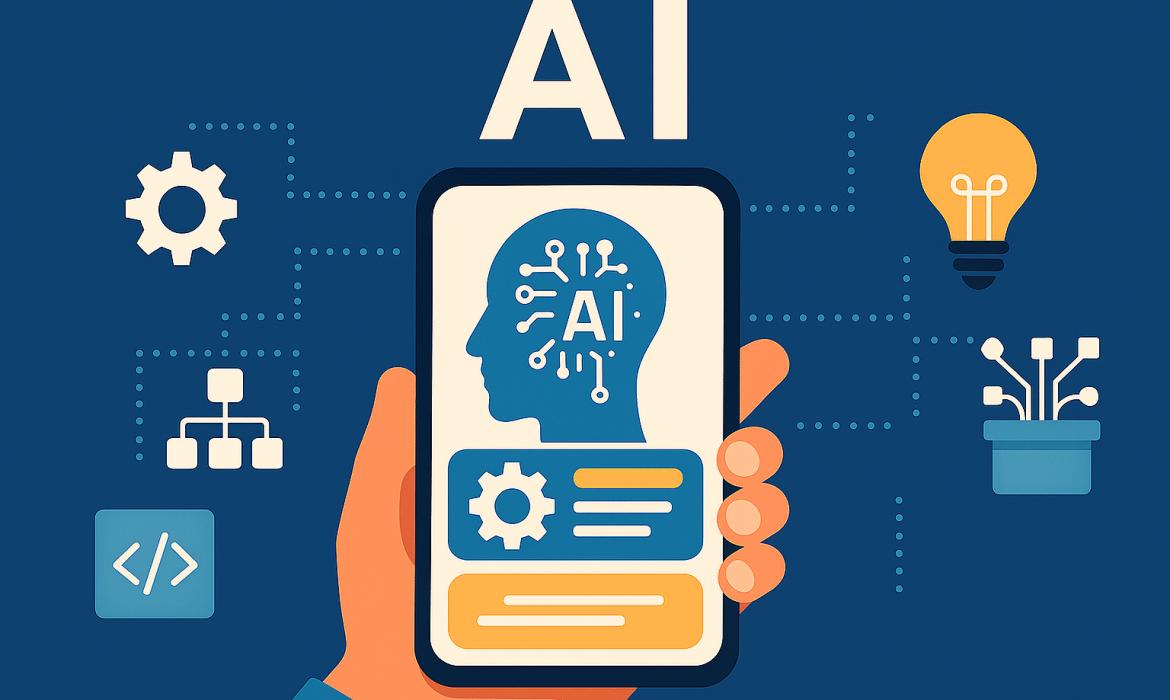
How AI is Revolutionizing Mobile App Development
AI is changing the process of creating mobile apps with smart capabilities, such as personalization, voice, and image recognition. It is also assisting in predictive analytics, coding automation, and testing. This reduces development time and improves app performance. AI is creating better user experiences that adjust in real time.
In this blog, you will going to explore the different ways AI is changing mobile app development.
Here is an overview:
- AI acceleration in app development
- AI post-launch learning and adaptation of apps
- Now, user experiences are smarter and more personalized
- Companies with fast-growing AI applications
- The next-generation apps will be fully AI-based and proactive
How AI Is Transforming the Way Apps Are Built
In the past, building an app was a slow process. Developers had to:
- Write every piece of code manually.
- Test features step by step.
- Spend weeks debugging before release.
This made app development both expensive and time-consuming.
AI has completely changed this approach. Tools like Gemini in Android Studio and Amazon Q Developer act like smart assistants for developers. They can:
- Generate code snippets instantly.
- Suggest best practices while coding.
- Handle repetitive tasks like writing boilerplate code or creating unit tests.
Testing has also become faster. AI tools detect bugs automatically and recommend fixes early. This means apps are more stable and ready for release much sooner. What once took months can now be done in weeks.
Design Made Smarter and Faster with AI
Design has been a significant bottleneck with regard to app development. And the challenging part is that the process of developing wireframes, mockups, and prototypes tends to drag the whole project.
AI now helps eliminate these delays. Modern tools can generate designs directly from text prompts. For example:
- Write a description like “create a shopping app homepage with a search bar and product grid”.
- The AI tool instantly produces a working mockup.
The platforms, such as Figma AI, can go further and propose layout enhancements, color choices, and flow design. This decreases back and forth between development and design teams.
Apps That Grow Smarter with Every Use
Earlier, apps stayed static once launched. If developers wanted to improve them, they had to release a full update.
With AI, apps don’t stop evolving after launch. They continue to learn from real user behavior and adapt automatically. For example:
- E-commerce apps recommend products according to the purchase and browsing history.
- Fitness applications suggest your own workout plans by monitoring improvement.
- Music and video applications are based on listening and viewing habits.
This continuous learning makes apps more useful over time. Users enjoy personalized experiences without waiting for new versions. Businesses gain stronger engagement and loyalty because the app feels smarter with every use.
How AI Creates More Personal and Engaging Apps
AI is also transforming how users interact with apps. Features that once seemed advanced are now common because of AI.
- Voice assistants and chatbots ensure that customer support is available whenever needed and 24/7.
- Voice recognition will allow hands-free control, which is popular in applications such as Google Assistant or Alexa.
- Image recognition assists applications in detecting objects, faces, and even ailments in photos.
- AR and computer vision are used to provide immersive experiences, like a virtual try-on in a fashion application or an overlay of a map with real-time navigation.
These intelligent features raise user expectations. Apps that include them stand out and deliver a more engaging experience.
How AI-Powered Mobile Apps Drive Business Growth
- Speed to market is one of the largest benefits. The smarter development tools will reduce the duration required to introduce a new product or service. This enables startup companies to experiment and proven companies to remain competitive in rapidly changing industries.
- Personalized customer engagement is another growth driver. Applications that respond to the personal behavior of users make people more engaged. Such characteristics as personalized suggestions, chat service, or personalized notifications promote returning to the app and increased loyalty.
- Revenue generation is also clearly affected. It will result in more successful advertising and produce a greater number of converting in-app purchases. Companies can align the appropriate products with the appropriate consumers at the appropriate moment, and they convert window shopping into purchases.
Lastly, this trend is supported by market research. According to industry reports, the intelligent mobile applications market is growing at an impressive rate all over the world, with the growth figures expected to rise into the double-digit range within the next ten years. Those companies that implement these solutions early are putting themselves in a long-term advantageous situation.
Key Challenges in AI-Powered App Development
The bigger and more better future is ahead for AI apps. However, some challenges also need to be addressed, such as:
- Data privacy and security: AI apps require personal information to provide results. That is why there is a need to safeguard personal data. Some rules, like GDPR, provide strict requirements on how data is to be processed, and companies should adhere to them.
- Ethical issues and bias: AI systems are capable of generating biased outputs or hallucinations. The developers have to create protective measures, test models, and provide fairness in appearance features to the users.
- Complexity of integration: The addition of AI is not a plug-and-play solution. It needs infrastructure, APIs, and training.
- App store compliance: There are now Apple and Google guidelines on AI features. Applications that abuse AI and use data inappropriately can be rejected.
These challenges don’t slow the revolution but highlight the need for responsible AI practices.
The Future of AI on Mobile Apps
AI in mobile apps is a developing story. The following stage is even more promising in terms of the changes:
- Multimodal experiences: Applications will integrate text, voice, and images to provide smooth experiences. One example is a travel application that might allow you to take a picture of a landmark, receive voice-activated questions, and get direct directions.
- Proactive helping: Apps will not wait, but predict what people need. A health app may prompt hydration notifications depending on activity, or a finance app may call attention to spending patterns before the user becomes aware.
- Offline intelligence: Apps will be able to process data directly on the device. This makes them quicker, more dependable, and more confidential even when not connected to the internet.
- Co-creation with developers: The next generation of tools will allow developers to create large portions of apps automatically in weeks instead of months.
FAQs
Q1: How is AI revolutionizing mobile app development?
AI automates coding, testing, and design. It also drives the high-end capabilities such as chatbots, personalization, and predictive analytics. This simplifies the process of app development.
Q2: Can AI really reduce the time it takes to build an app?
Yes. The work that used to take weeks is now done in days with the help of AI coding assistants and automated prototyping. AI also makes testing and debugging much faster.
Q3: Do small businesses benefit from AI in app development?
Absolutely. AI allows small teams to build enterprise-level apps. They save on costs, reduce manual work, and still deliver high-quality apps.
Conclusion
AI is tremendously transforming mobile app development. It makes coding, testing, and design smarter. Apps do not remain the same as they are launched- now they continue to learn, develop, and offer their users more personalized experiences. This generates actual value to users and businesses.
At Geek Informatic & Technologies Private Limited, we specialize in building AI-powered mobile apps that are smart, scalable, and future-ready. Let’s turn your app idea into an AI-driven success story. Contact us today to get started!

Flutter Development Service: A Leading-Edge Approach For Application Development
Truth be told, this is the era of mobile, and it’s here to stay! No, seriously, the figure for mobile users is actually greater than desktop users! No wonder, the business world has also acknowledged the necessity of using these mobile channels to attract new customers and sustain the older ones too! With the emergence of smartphones and their applications, the way of doing business has changed.
And why not? Without a doubt developing a mobile App for business can offer priceless marketing prospects and help reach your target audience efficiently. Indeed, mobile applications are now ruling the business world, irrespective of their platform (Android, iOS), all thanks to Flutter!

What is flutter? Why do companies hire flutter developers? Everything will be answered shortly; keep reading.
Let’s begin with…
Application Development
Simply put, Application development is designing, building, and executing software applications, or we can say apps. Application development follows the standard methods and illustrates the whole process of how the application is made.
By the way, different types of users use these applications on different screens, so are these apps going well with all platforms? When it comes to create an application, you must know the diversity of users. And in order to reach users on every screen, you have to make the same app for all types of cross-platforms. Obviously, Every human now holds a “mobile” smart device in their hands, which could undoubtedly be an Android phone, iPhone, or iPad.
Here’s a scenario
Let’s assume you have published an Android app, and it’s advancing day by day. But the pressure to launch the iOS version increases as your users are not just stuck to Android. Even some of your users might ask for a lite web version of the app. You are running out of time and resources as well as the app developers; what to do? This is when cross-platform app development comes into a role! This way, you can build an app from the same codebase for different platforms; the code used to publish the Android app can be used on other platforms like iOS, web, and even desktop with slight changes. Isn’t it great that it totally eliminates the need to maintain a different codebase?
It helps when you have a cross-platform mobile app development approach like flutter development service! For developers, Flutter diminishes the bar to entry for building apps, apparently speeds up app development, and reduces the cost and complexity of app production across platforms.
Now…
What is Flutter?
Flutter is Google’s mobile user interface toolkit for crafting mobile, web, and desktop applications with a single codebase. Flutter is a freely available open-source framework created by Google for making beautiful, multi-platform applications using one single codebase. Flutter is basically a software development UI kit that facilitates innovative yet easy cross-platform mobile app development. You can quickly create high-quality well-assembled apps for iOS and Android without writing the code for the two apps separately. All you need is just one application codebase for both platforms.
Hire flutter developers and let the magic begin!
Building a cross-platform mobile app is not a piece of cake; it requires skills and expertise to offer an app that provides a native-like experience to your users. Thus, you need proficient developers with in-depth understanding to nose out your competitors. You must hire flutter developers if you need to bring your App into existence. Our adroit application developers at Geek Tech can help you build a mobile app that aids scalability, functionality, and authenticity as per your business needs. According to our developers, Flutter is a canvas for them to create high-end user-friendly apps in no time.
We are just a call away from offering you our reliable mobile and web application development services; call now!